Project Overview
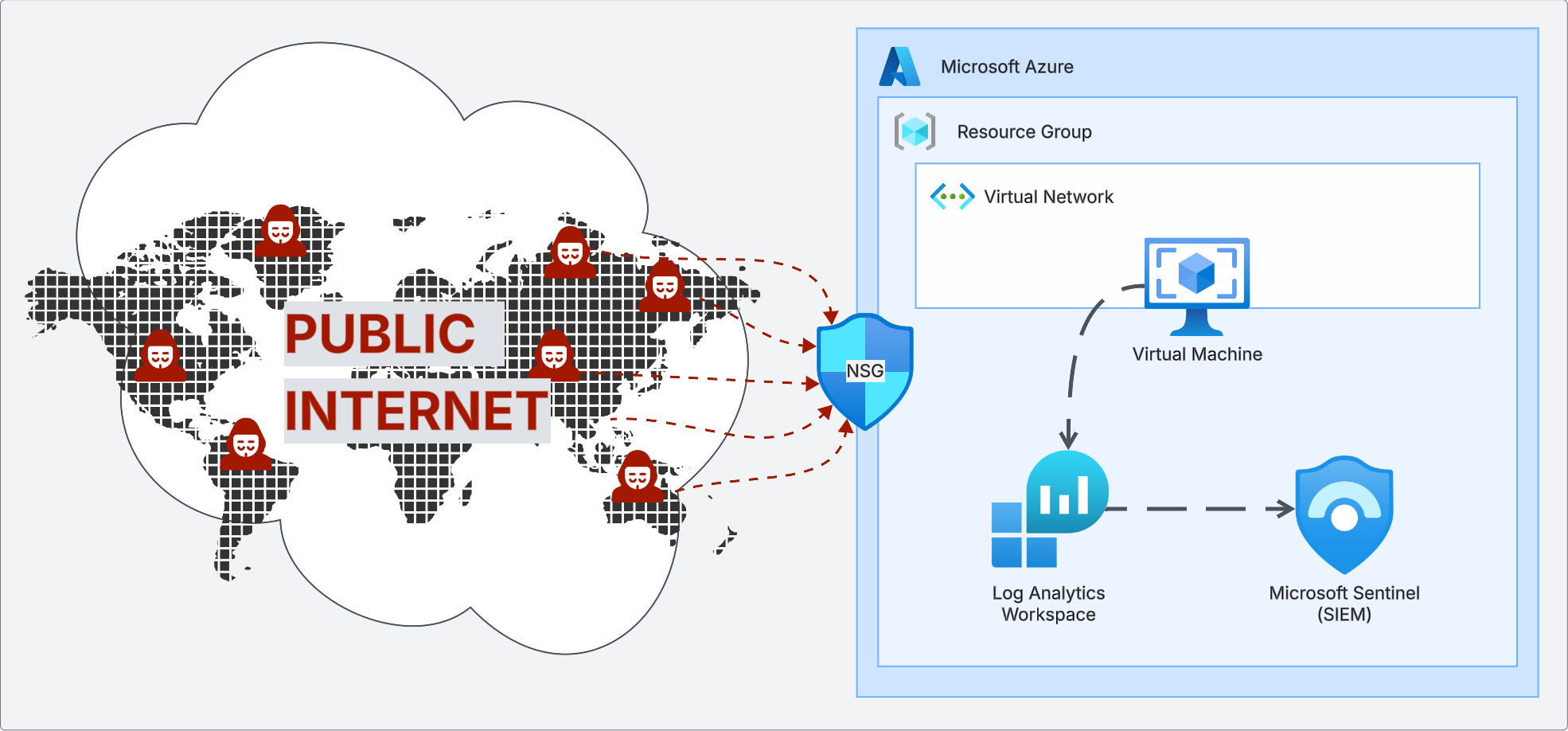
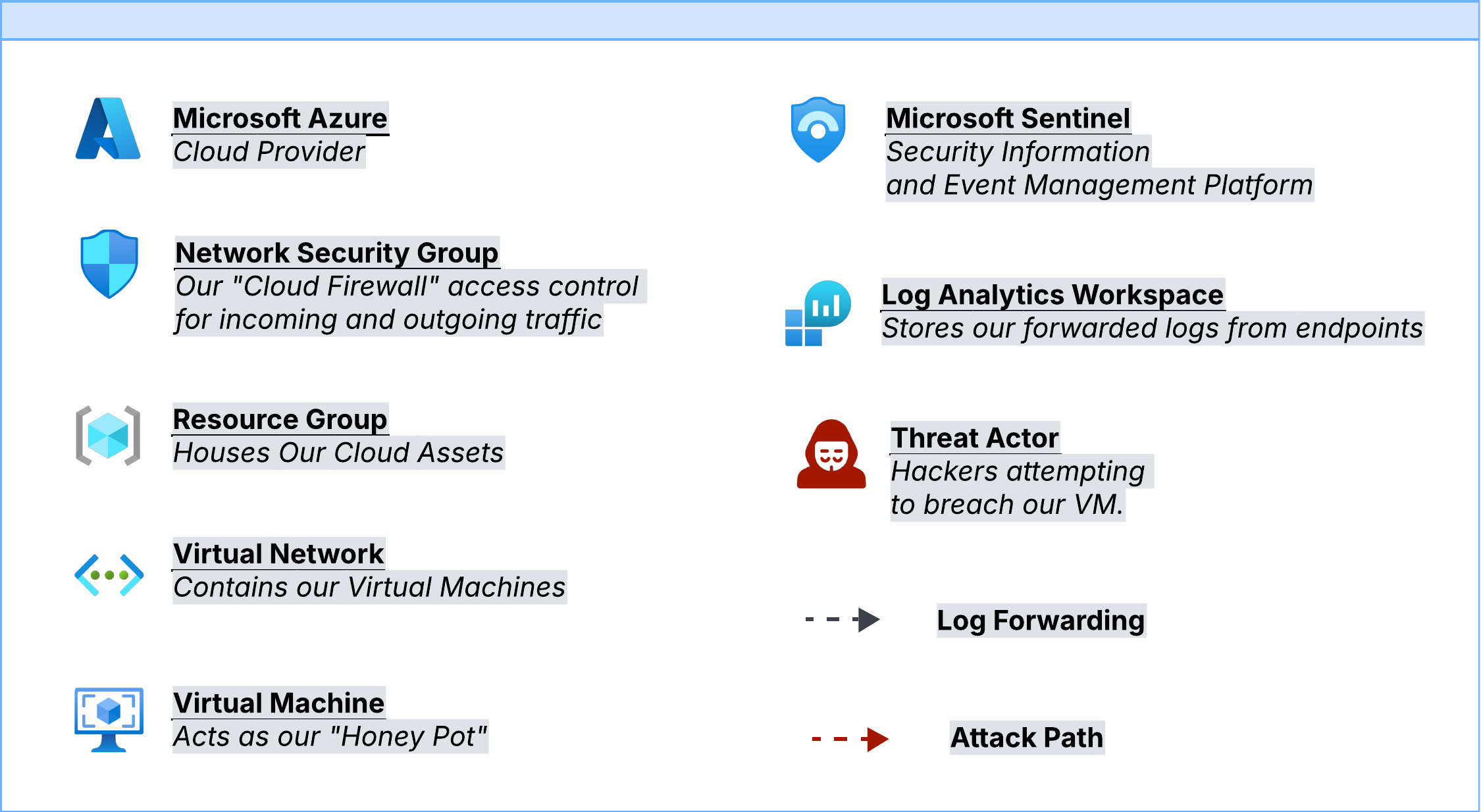
The central component of this project was a Windows 11 virtual machine configured as a honeypot, intentionally exposed to the public internet to observe real-world brute-force attack attempts. Microsoft Sentinel, a Log Analytics Workspace, and KQL were used to track activity, detect threats, and analyze incidents as they unfolded.
Demonstrate the risks of misconfiguration and absent firewalls by standing up an intentionally vulnerable honeypot and monitoring the volume and origin of brute-force login attempts in real time.
Configuring the Environment
The honeypot was built from scratch in Azure using nine deliberate steps to maximize exposure to the public internet:
- Login to Microsoft Azure
- Create a Resource Group to hold all cloud assets
- Create a Virtual Network and establish IP address allocation
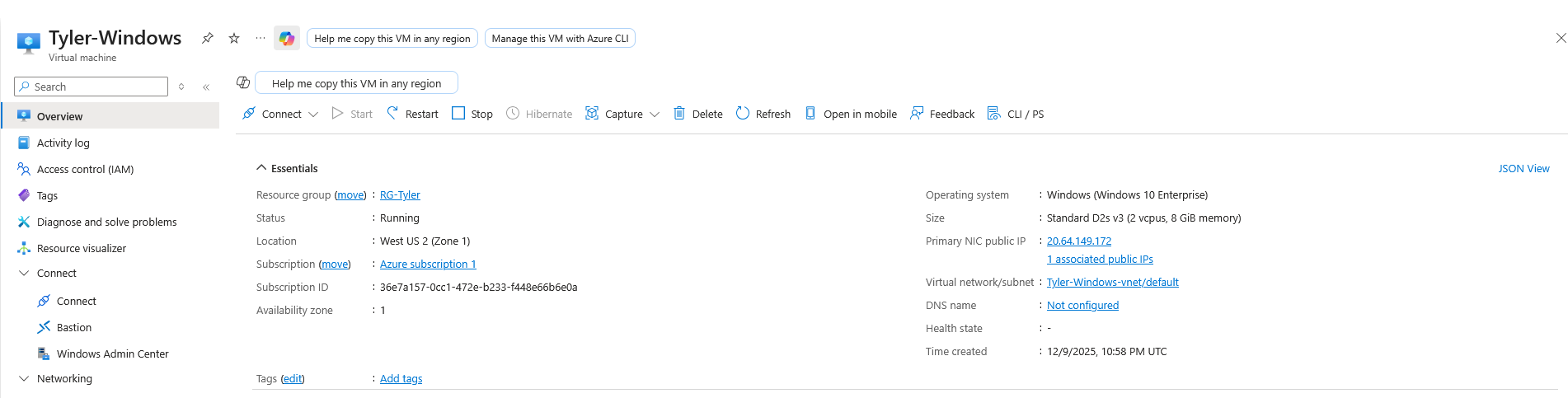
- Create the Virtual Machine acting as the honeypot
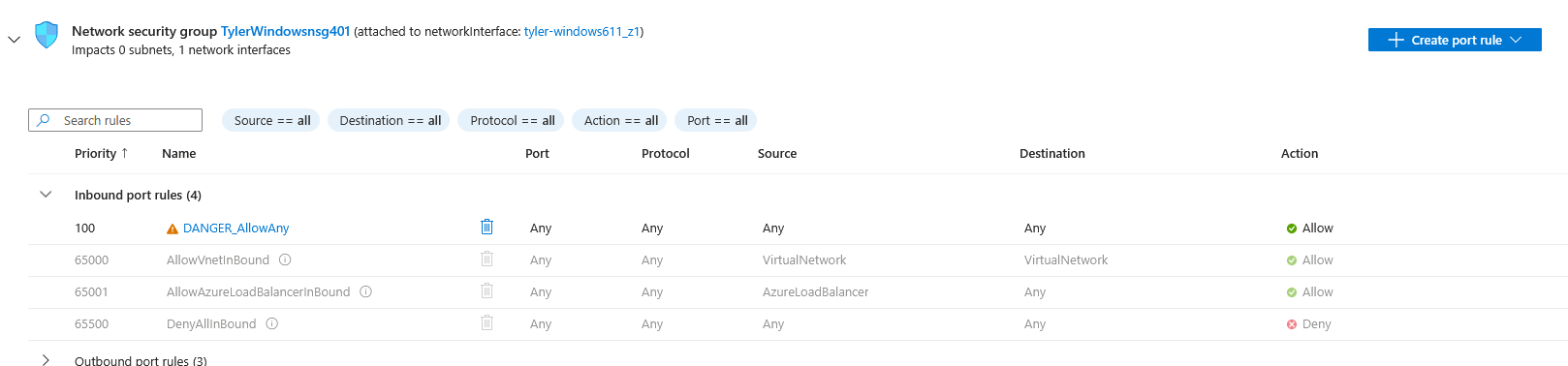
- Expose the VM to the internet by disabling default security measures
- Reconfigure Network Security Group rules to allow all ports to the internet
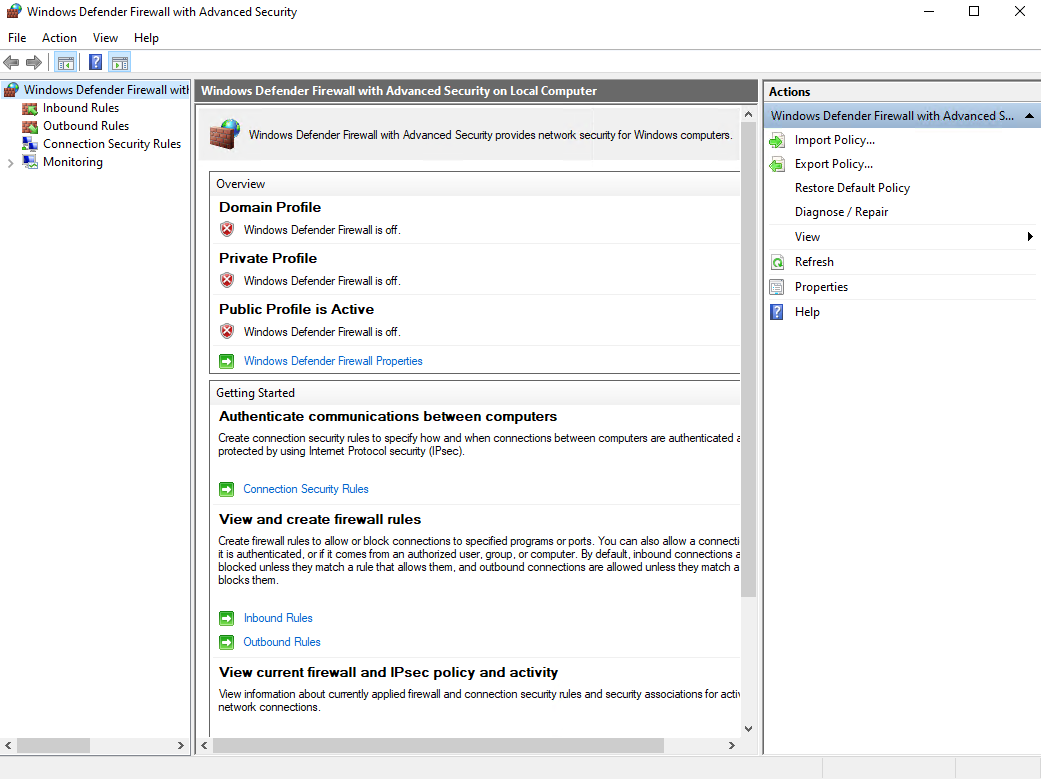
- Log onto the VM and disable the Windows Firewall for incoming connections
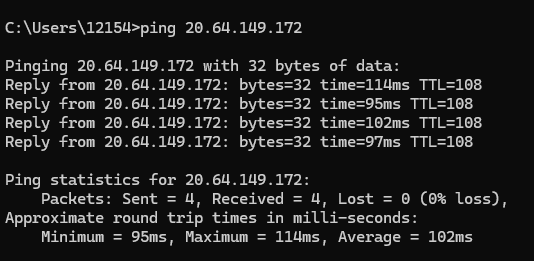
- Ping the machine using its public IP address to verify a response
- Confirm the VM is open and responding to the public internet
These steps intentionally create a maximally insecure environment for research purposes only. This configuration should never be used in a production setting.
Logging and Monitoring
With the honeypot running, a logging and monitoring stack was configured to capture and visualize attack data:
- Set up a Log Analytics Workspace as the centralized location for querying and reviewing logs
- Installed the Azure Monitoring Agent on the VM to collect and forward logs
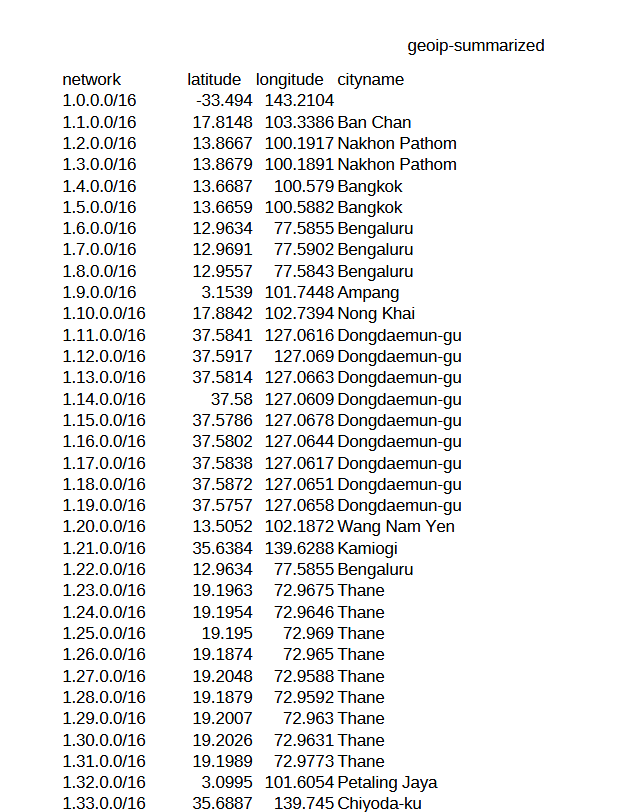
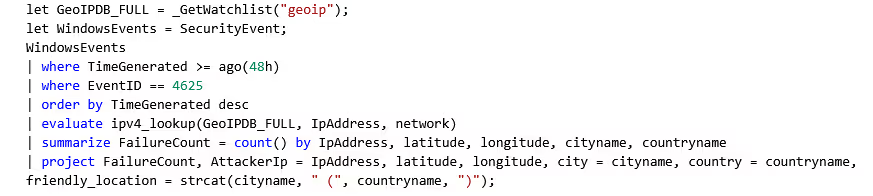
- Created a watchlist correlating attacker IP addresses with geographical location (latitude, longitude, city, country)
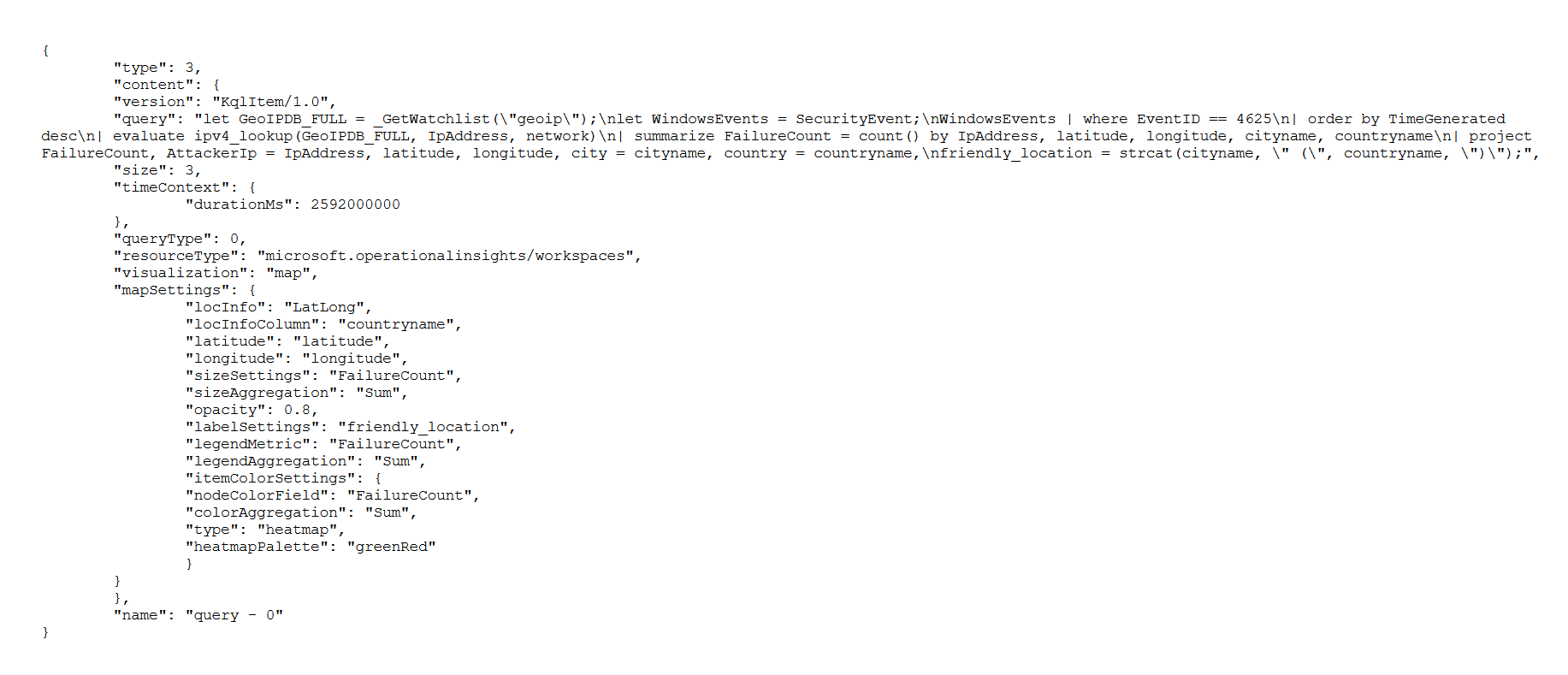
- Built a custom workbook and dashboard using JSON to visualize failed login attempts on a global map
Query Results
Failed Login Attempts: 5 Minutes
SecurityEvent
| where EventID == 4625
| summarize FailedLogins = count() by IpAddress, Account
| order by FailedLogins desc
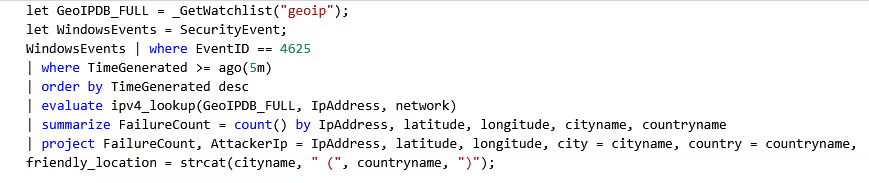
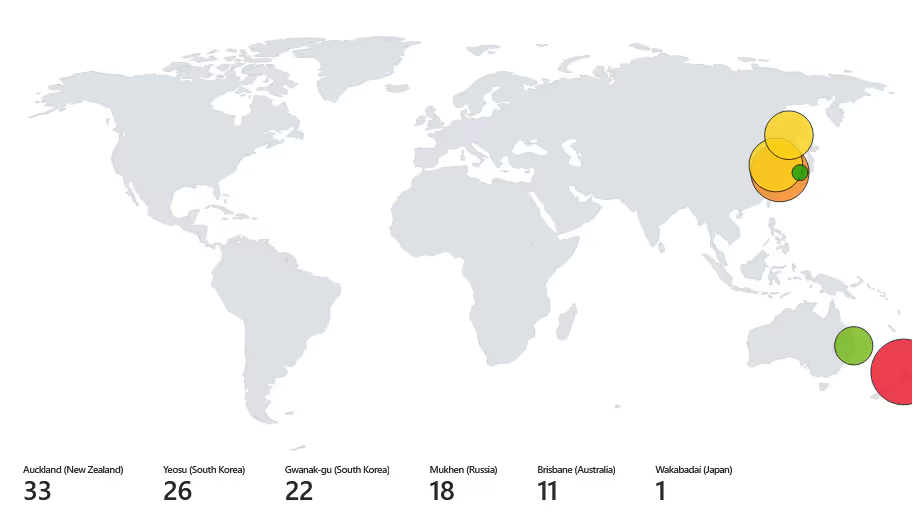
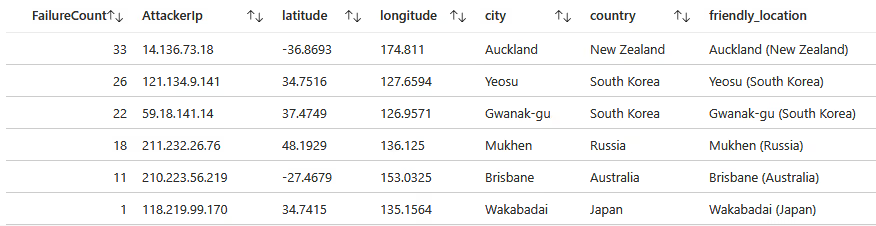
111 total failed login attempts within the first five minutes of exposure. The most persistent attacker was IP 14.136.73.18 from Auckland, New Zealand with 33 attempts.
Failed Login Attempts: 24 Hours
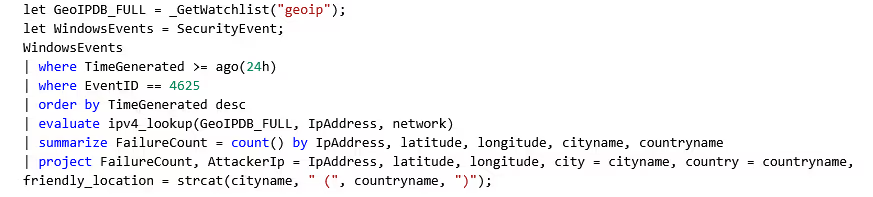
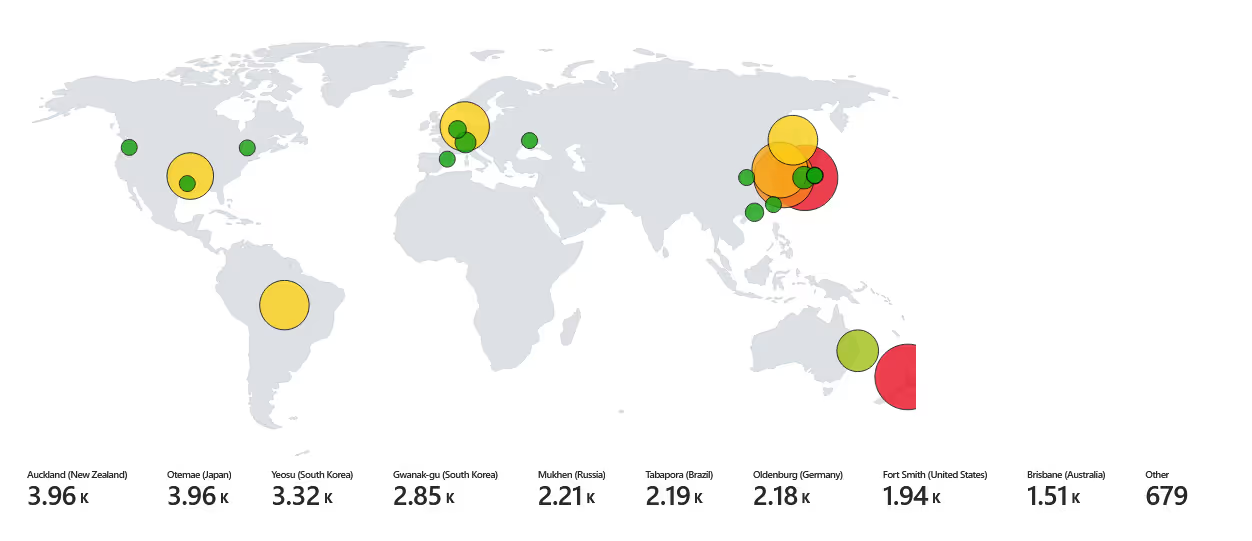
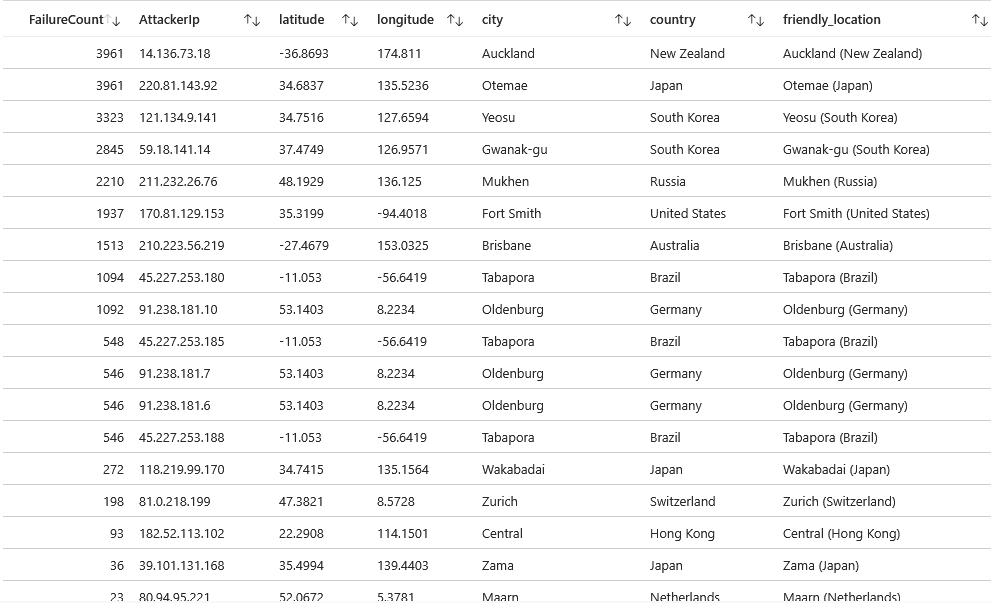
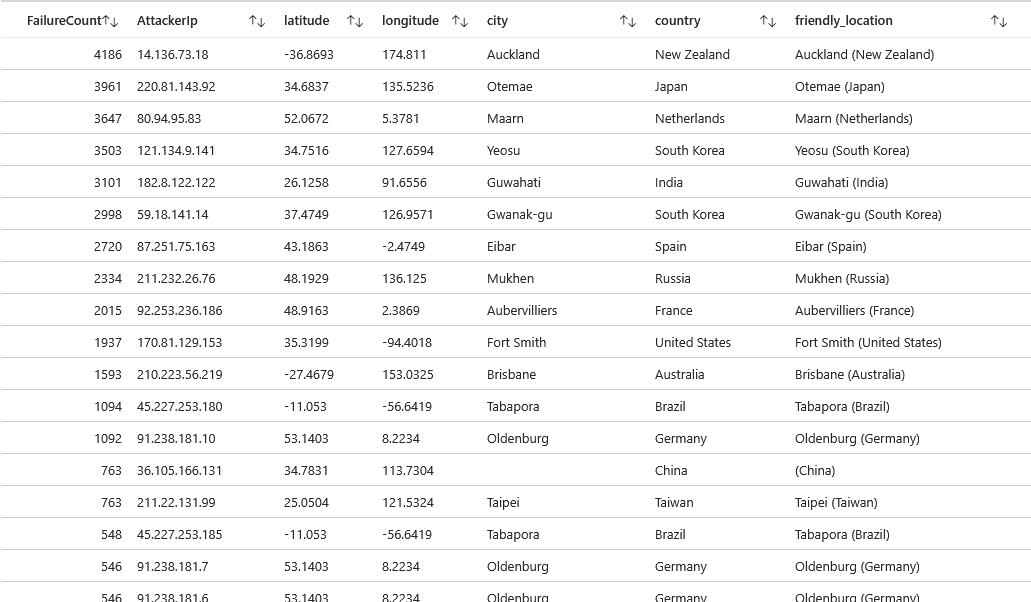
24,799 total failed login attempts over 24 hours. Primary attackers: IP 14.136.73.18 (Auckland, NZ) and IP 220.81.143.92 (Otemae, Japan) with 3,961 attempts.
Failed Login Attempts: 48 Hours
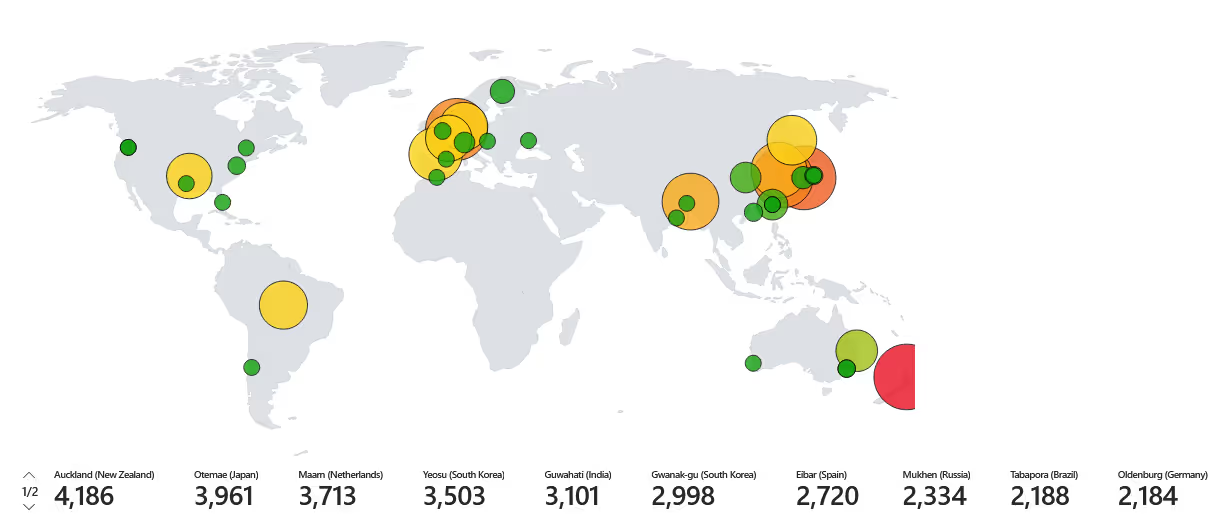
Over 50,000 failed login attempts across 48 hours. Attack patterns spread globally, with emerging activity from European countries, particularly Germany. The data confirmed that an intentionally exposed system will be discovered and attacked within minutes, not hours or days.
Conclusion
This project demonstrates the risks of misconfiguration and absent firewalls. Weak credentials, poor configurations, and a lack of layered defenses create an open door for exploitation, underscoring the necessity of strong security practices.
Attackers do not wait. They are continuously scanning the internet for exposed systems, and basic brute-force and dictionary attacks require no sophistication when security fundamentals are missing. The takeaways are straightforward:
- Never expose RDP or SSH to the public internet without restrictions
- Always enforce Network Security Group rules and host-based firewalls
- Use strong, unique credentials and enforce multi-factor authentication
- Forward logs to a SIEM (Sentinel) and monitor for authentication failures